


So if like me you’ve got a Nexus 7 and have always found it a trustworthy bit of tech, always easy to use, quick, responsive and all the apps you could possibly want at your fingertips, but since the update to the Lollipop software you have had ease of use killed, then what can you do with you Nexus 7 now!
Lollipop Kills The Nexus 7!
There are so many people with the 2012/2013 models of the Nexus 7 that have had no end of problems since the latest today to version 5 of the operating system, which is called, “Lollipop”, which is quite fitting for it as it indeed sucks.
Users of the tablets have complained of speed issues, frozen tablets and even tablets simple restarting themselves for no reason whatsoever!
I’ve had many, if not more, of these problems, I’ve even resorted to opening up the hidden “Developers Menu” to change settings to allow the tablets system not to be so greedy, but this is only a temporary fix as the problems still arise, but less often.
What Are The Options For A Nexus 7 Running Lollipop?
You can either suffer and wait in hope that a fix is released, but the latest version of the tablet or even opt for a different tablet altogether such as a Samsung or iPad!
But then what do you do with your current, begging for mercy, Nexus 7?
Well here’s seven ideas on what you can do with your Lollipop destroyed tablet.
1. Use your tablet as a mug mat, if you have a rubber casing on your Nexus 7, this acts as the perfect anti-slip mat.

2. Door stop, ram your tablet tight underneath the door to help it stay open.

3. Have a wonky chair or table, the Nexus 7 is the perfect size to place under the leg of your chair or table to make it more sturdy!
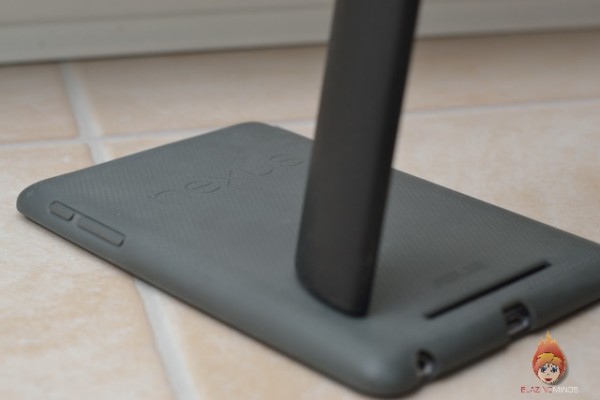
4. Take the opportunity to use your Nexus 7 for some target practise and take up the sport of clay pigeon shooting.
5. Use it as a night-light! Change the settings so that the screen stays on, then leave the tablet on as a handy night-light, but remember since the Lollipop update, your Nexus 7 can simply about itself for no reason, hence turning off your night-light!
6. Learn the skills of patience! Simple things, such as opening up your email or even browsing via Chrome can take time, waiting for an app can be as little as a few seconds to a few minutes. For example, I started Twitter and it took 3 minutes to appear, Chrome is even worse with the screen becoming unresponsive and then restarting the Nexus 7.
7. Finally, number 7, use its crashing, slow response and waste of your time as a damn good excuse to get off the social media for a whole and go out and enjoy life in the real world!!!
So there you have it folks 7 uses now that you tablet has been killed with Lollipop update, I know there are loads more uses out there for the device now that the version 5.0 software has killed it and it has become almost impossible to use.
There is gossip that the 5.1 update will be released in February, which may or may not sort out many of the issues in 5.0.
But for now it’s up to you to say what you use your Nexus for since the atrocious Lollipop update, so my dear readers, it’s over to you, please leave a comment below.

Karen Woodham is the founder and owner of the Blazing Minds. She is also a Cinema reviewer and works with RealD 3D reviewing the latest 3D releases and IMAX, she has also had several articles published in various publications including the first edition of SFW Magazine. In 2015 she became an Award Winning Blogger and also has her website listed as one of the UK’s Top 10 Film Blogs.